think-cell Library: Presentation resources
- Home
- Resources
- User manual
- think-cell Library: Presentation resources
The think-cell Library is a centralized collection of presentation resources that you can access directly in PowerPoint.
Your slide and image assets
Quickly access your favorite slide and image assets from your computer, network, or OneDrive. Find what you need with slide-level search and powerful filters.
Slide templates
Choose from over 450 free, professionally designed slide templates and objects.
Images and icons
Access icon and stock image providers.
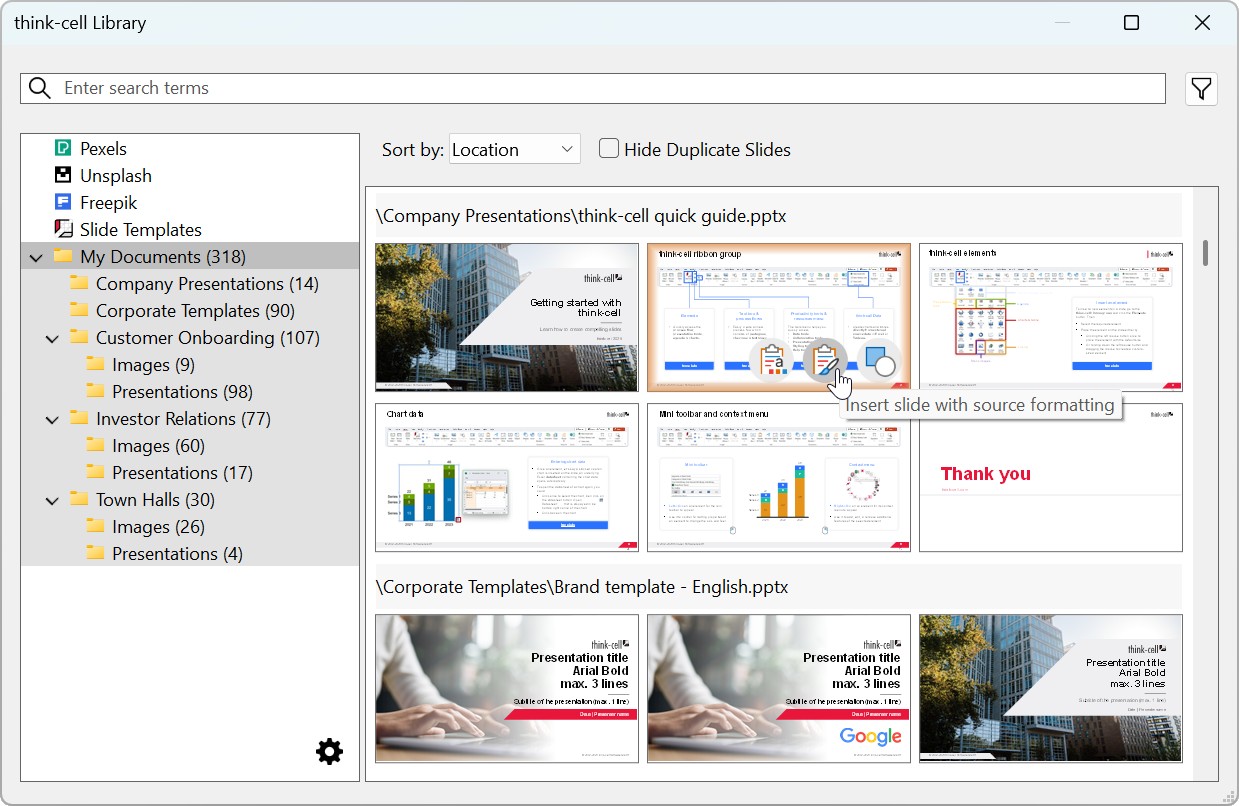
Library sources
The think-cell Library supports the sources in the following table. To add or remove library sources, see Manage library content. If some of these sources are unavailable, your organization may have its own library settings.
|
Content |
Content location |
Available on Windows |
Available on Mac |
|
|---|---|---|---|---|
|
New folder |
Slide and image assets |
Local computer |
yes |
|
|
Network drive(s) |
yes |
|||
|
OneDrive |
yes |
no |
||
|
Slide Templates |
Slide templates |
Local computer |
yes |
yes |
|
Freepik |
Icons |
Online provider |
yes |
yes |
|
Pexels |
Stock images |
Online provider |
yes |
yes |
|
Unsplash |
Stock images |
Online provider |
yes |
yes |
|
Brandfolder |
Image assets |
Online provider |
yes |
yes |
|
Canto |
Image assets |
Online provider |
yes |
yes |
|
Getty Images |
Stock images |
Online provider |
yes |
yes |