KB0126: Compatibility: "Convert to an Office Open XML File Format"
- Home
- Resources
- Knowledge base
- KB0126
Problem
I have converted a .ppt presentation to a presentation in Office Open XML File Format (.pptx, .pptm) using the Convert function of PowerPoint 2007 or later.
After clicking on a think-cell chart, I receive the message This element was changed without think-cell. 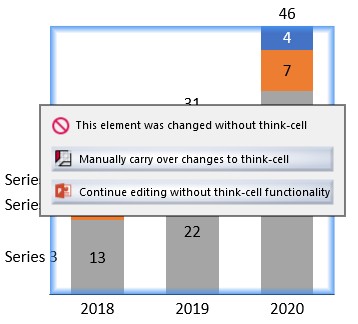
Solution
For each chart, please select the option Manually carry over changes to think-cell. For more details about this dialog please refer to Share presentations with users who don't have think-cell in our manual.
To convert .ppt into .pptx presentations without encountering this problem use Save As instead of Convert.