Build investment-grade presentations faster
Save hours with seamless Excel linking, 100% accurate numbers, and 40+ ready-made financial charts.


think-cell in numbers
end users worldwide
Fortune 100 companies
The world’s top 10 consulting firms all use think-cell.
Save up to 70% time working on slides
think-cell’s smart features boost productivity by eliminating manual formatting and cutting chart creation time to minutes.
Seamless Excel linking
Control how you manage updates to ensure your presentations maintain full data consistency.
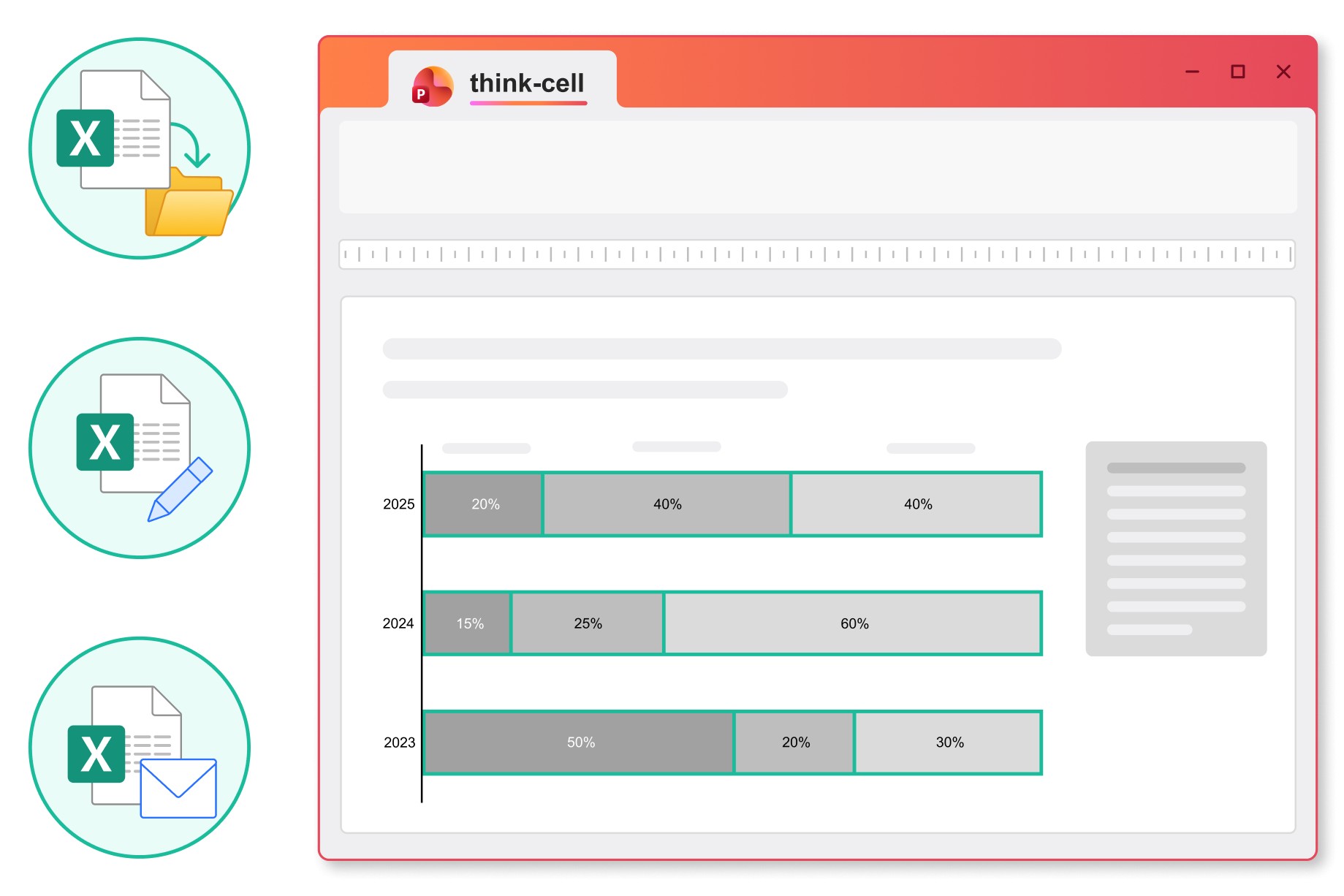
Move, rename or email your Excel files and the links to your PowerPoint presentation will stay intact.
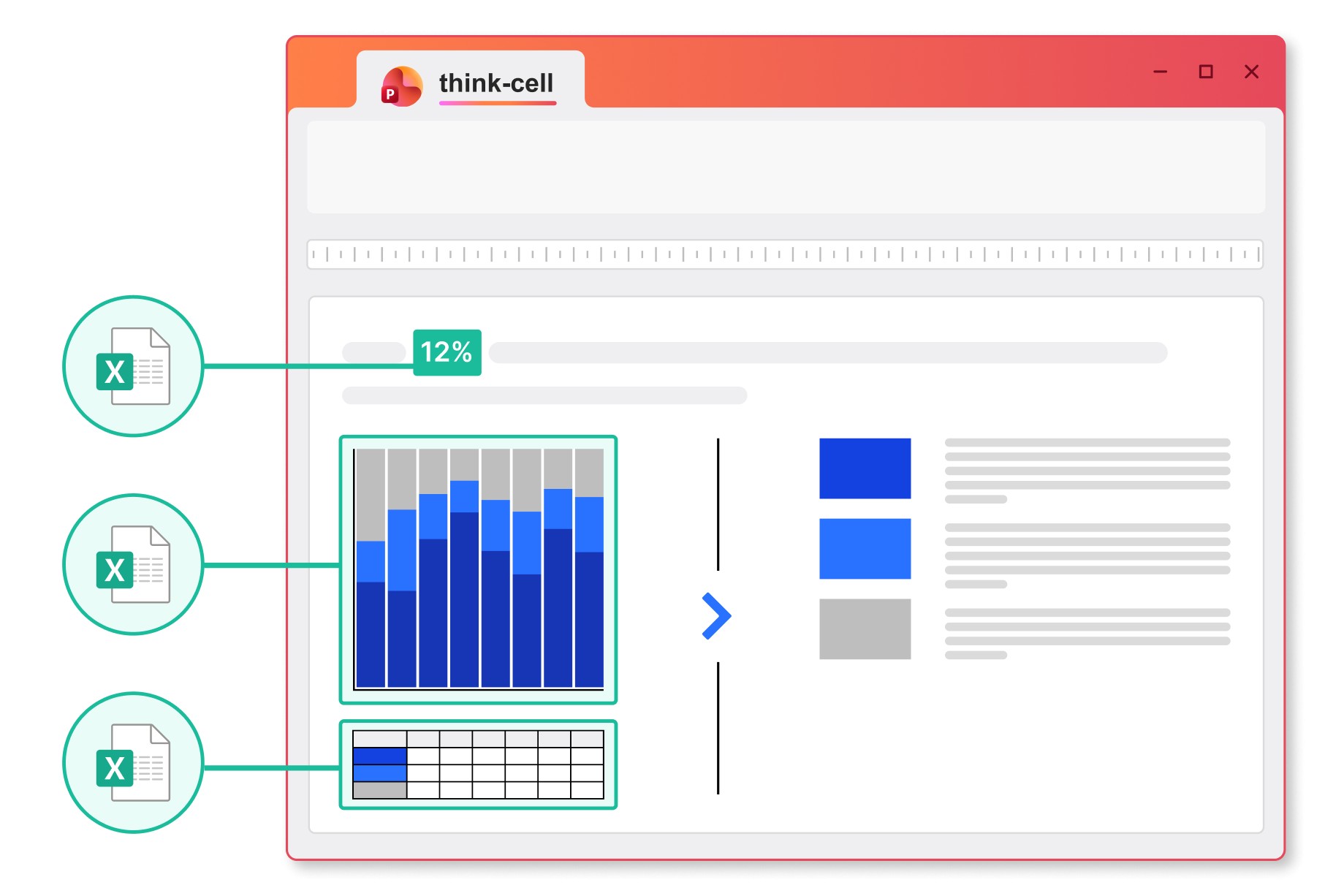
Link any content from a cell in your Excel spreadsheet to charts, tables, in-line text or any other object in your PowerPoint presentation.
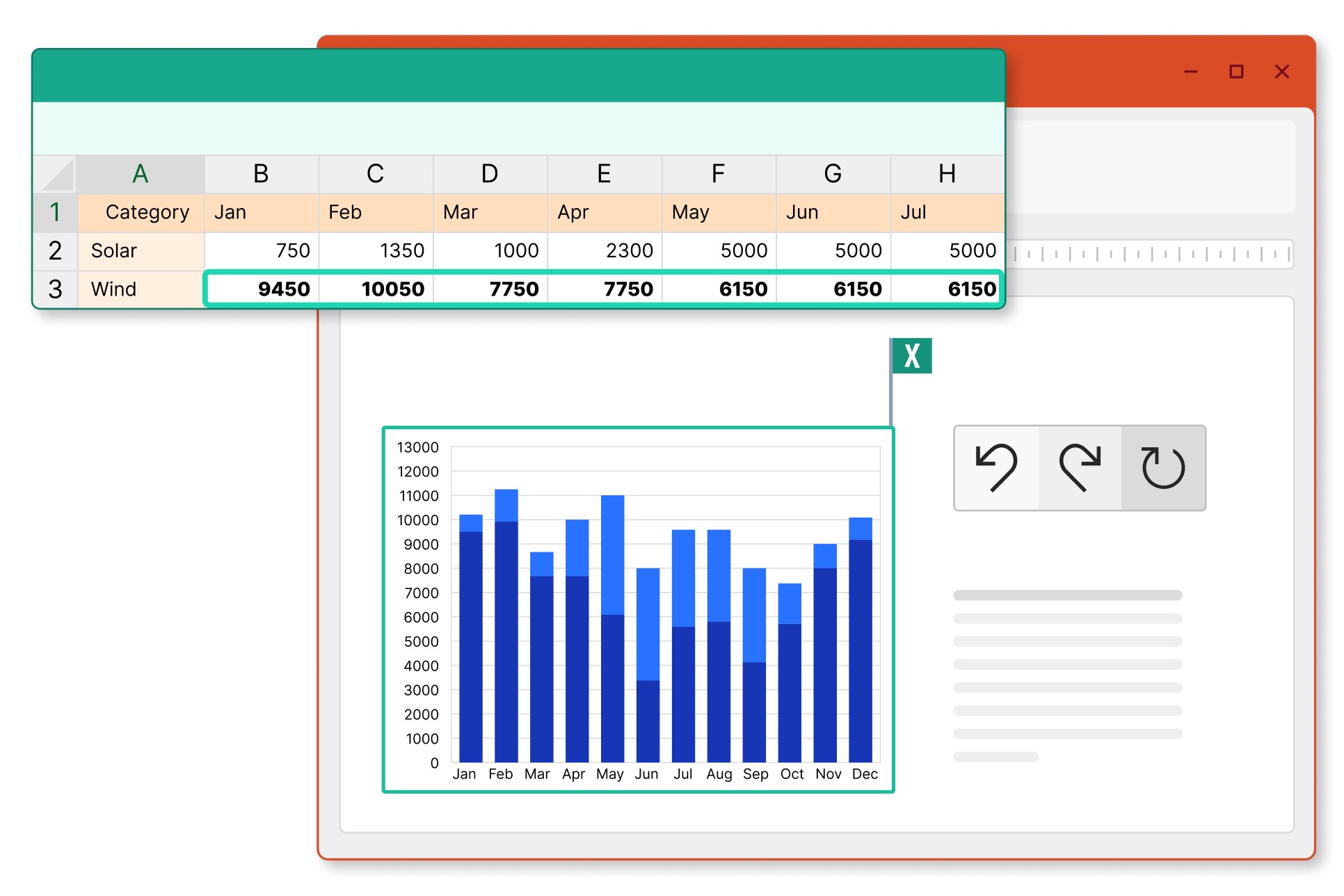
Choose between automatic and manual updates, and revert to previous versions to stay in control of the data you share.
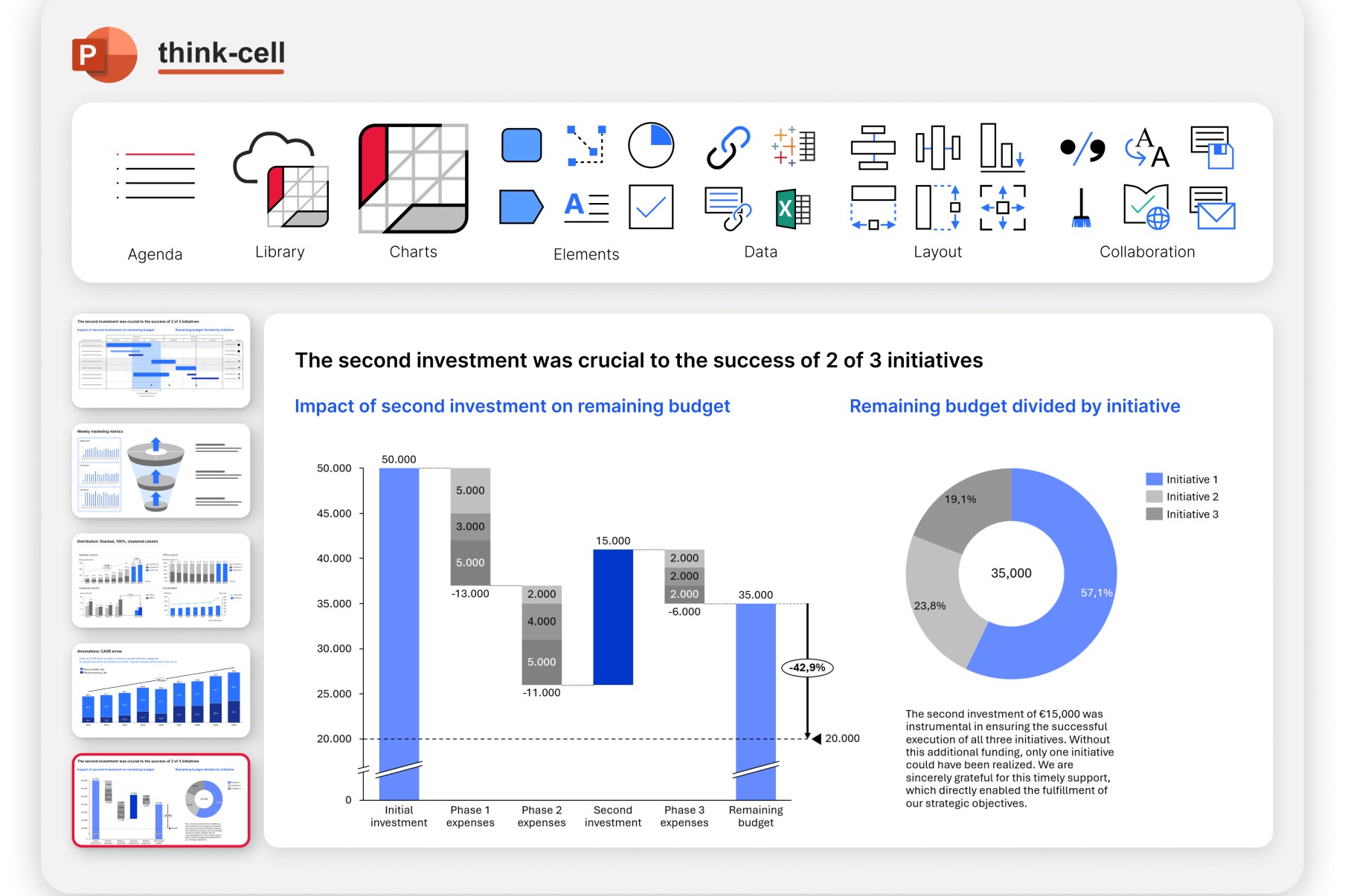
Create Waterfall charts in minutes
Present EBITDA, P&L, and other finance KPIs with clarity and confidence thanks to pre-built Waterfall chart templates made for various investment cases.
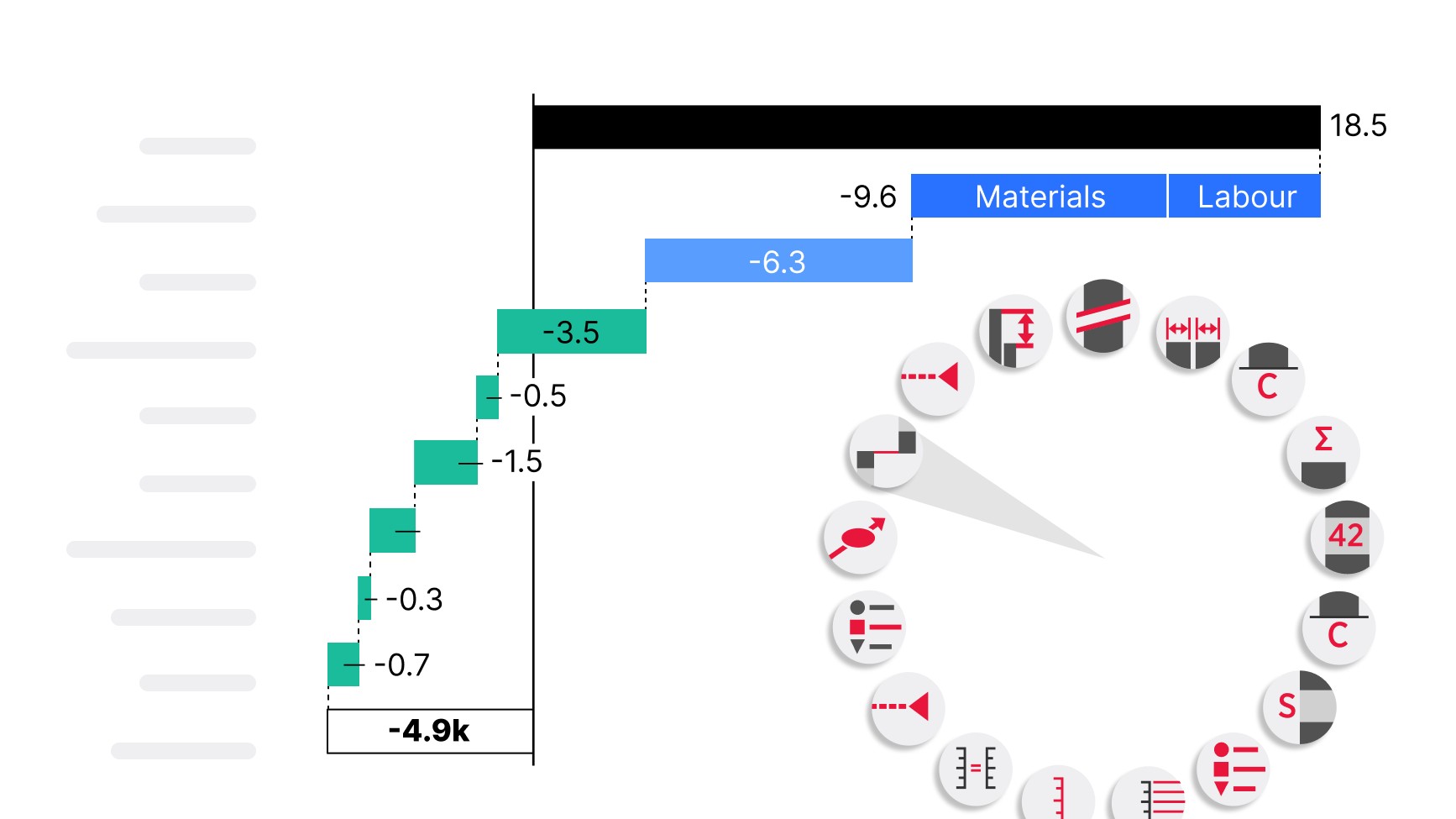
Add subtotals, variance steps, and comparison columns to show actuals vs targets in a single chart. Use delta labels, colors, and number formats to surface key drivers and exceptions directly in your slides.
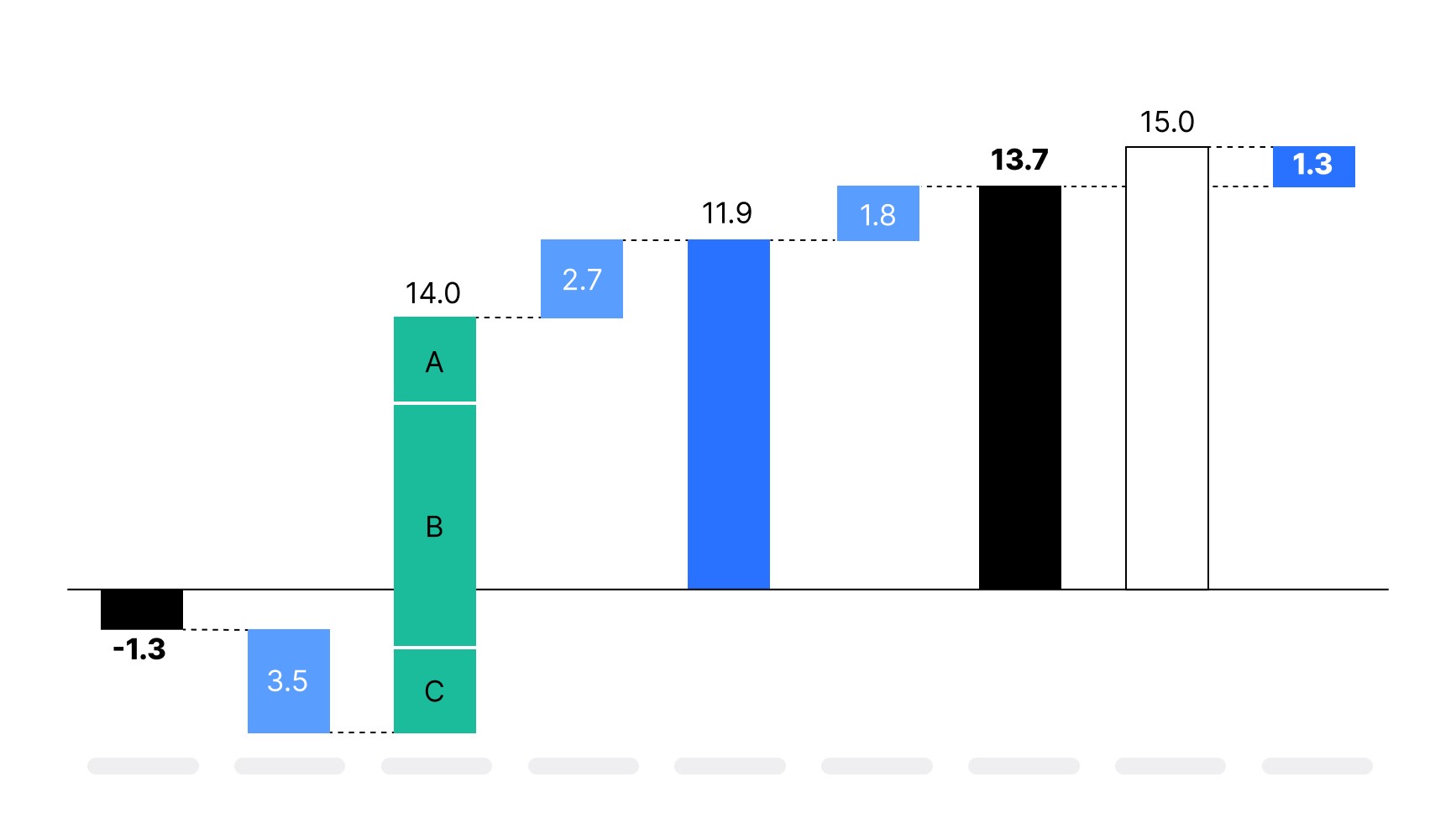
Build standard finance charts like EBITDA or P&L waterfalls with ease. Automatically group related items, insert subtotals, and reorder steps without breaking your layout.
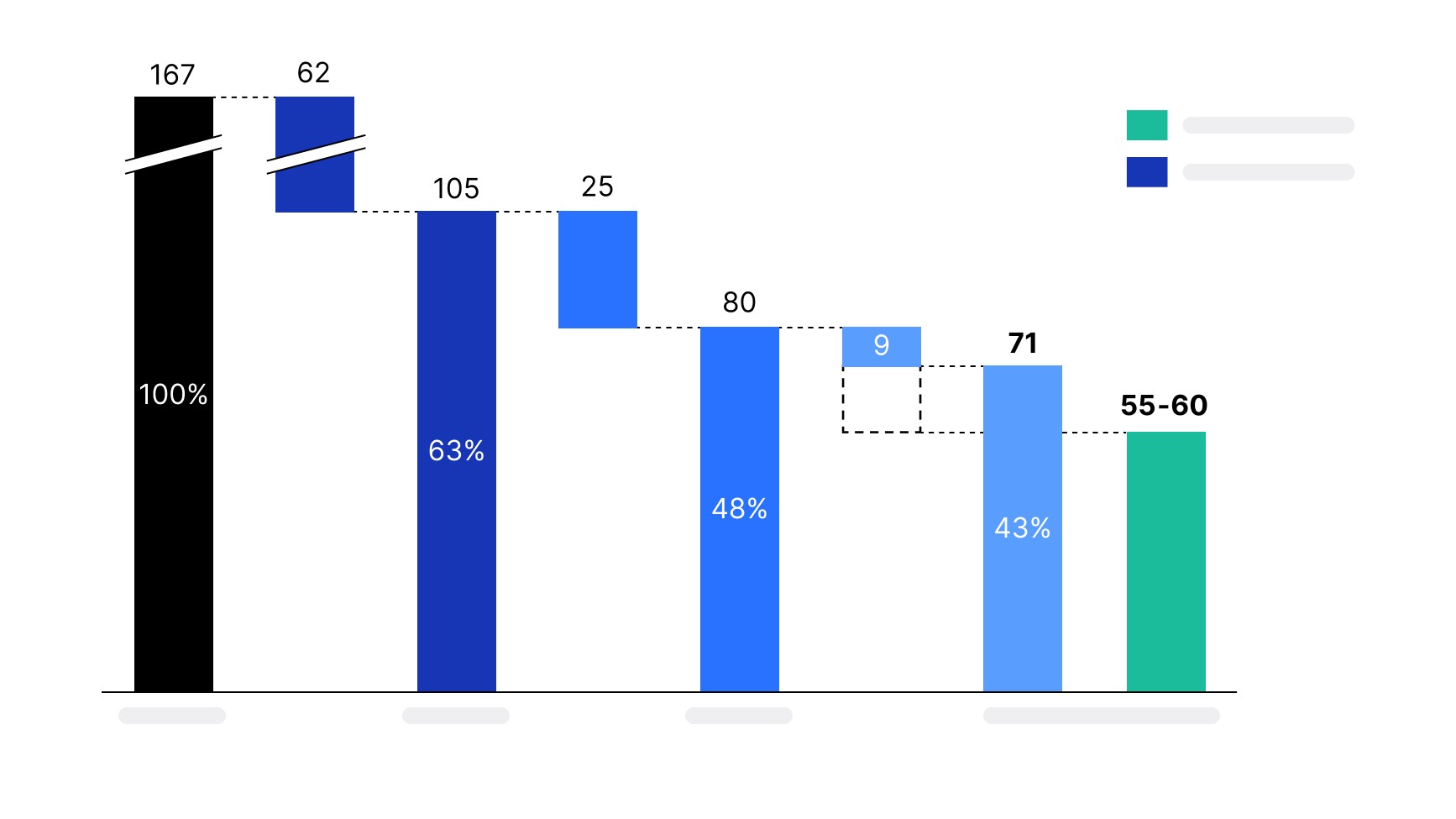
Edit numbers or add new financial items, the layout adapts instantly. No manual repositioning needed. Maintain visual clarity even with complex breakdowns.
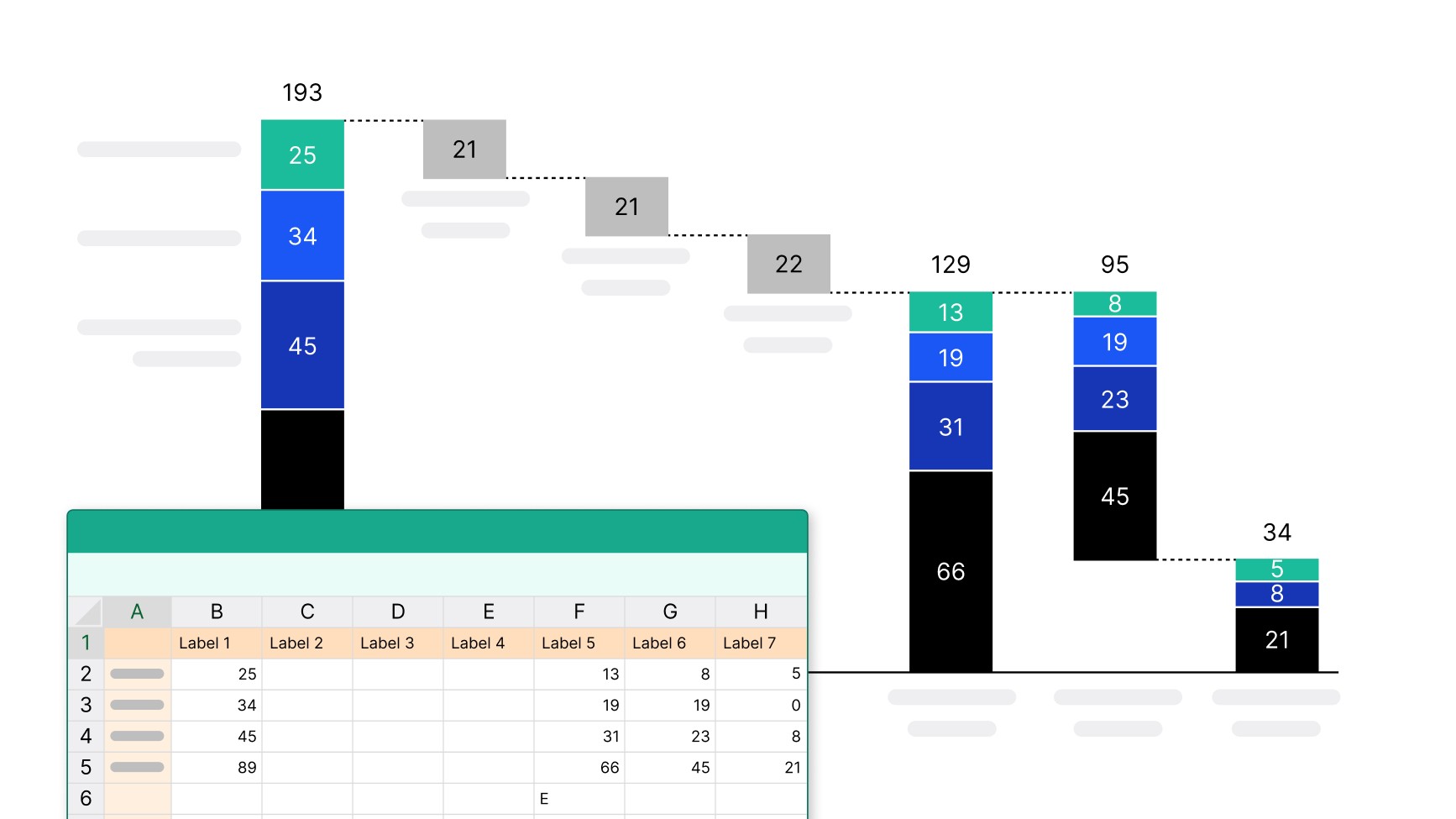
Link your Waterfall chart to Excel and update values in one click. Ensure alignment with your source data, avoid copy-paste errors, and reduce preparation time before meetings.
Trusted by over 35,000 companies worldwide
People know exceptional software when they see it.


With think-cell, I’m able to work almost three times faster compared to using standard PowerPoint features. It’s a massive time-saver.


I set myself high standards when it comes to the consistency and quality of how my data is presented, and think-cell is an integral part of my daily work to fulfill this goal.


If I need 10 minutes to create a chart natively in PowerPoint, think-cell reduces this to just 3-5 minutes.


The increased efficiency and clearer communication have allowed product owners to present data and findings better, leading to improved decision-making and business results.


If think-cell were to be described in another way, it would be “the time-creating tool.” I think think-cell is not just a convenient add-on tool for PowerPoint, but a solution that reduces the time you spend moving your hands while creating meaningful time for you to use your brain.
Turn any data into business insights
Transform your data into real business insights with our extensive library of prebuilt charts.
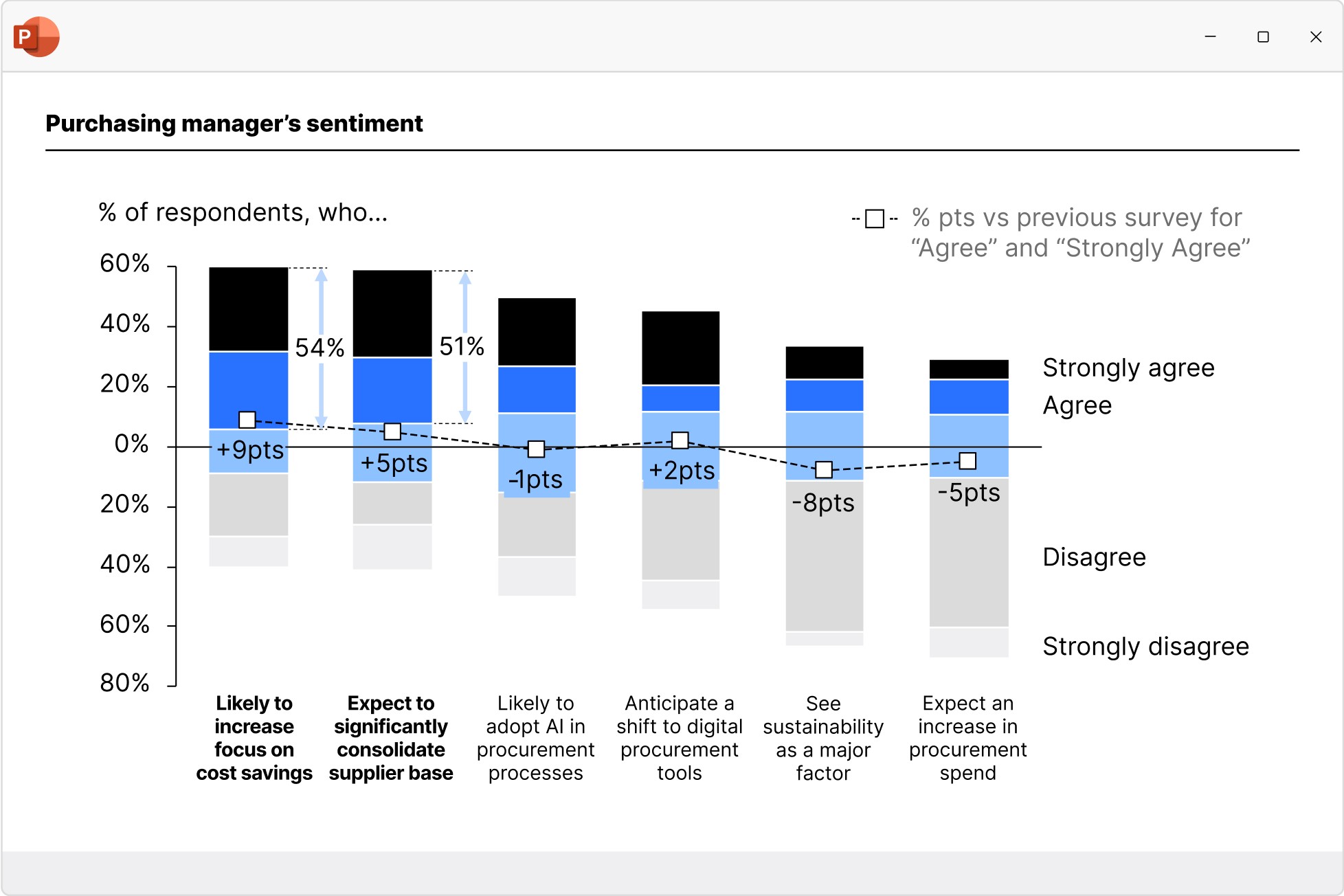
Combination charts
Create combination charts to show trends and relationships between data series, bringing column/bar and line charts together in a single visualization.
- Set each series flexibly to be displayed as a column/bar or line.
- Use a secondary value axis to display data or series with different scales.
- Sort columns in descending order to create insightful Pareto charts.
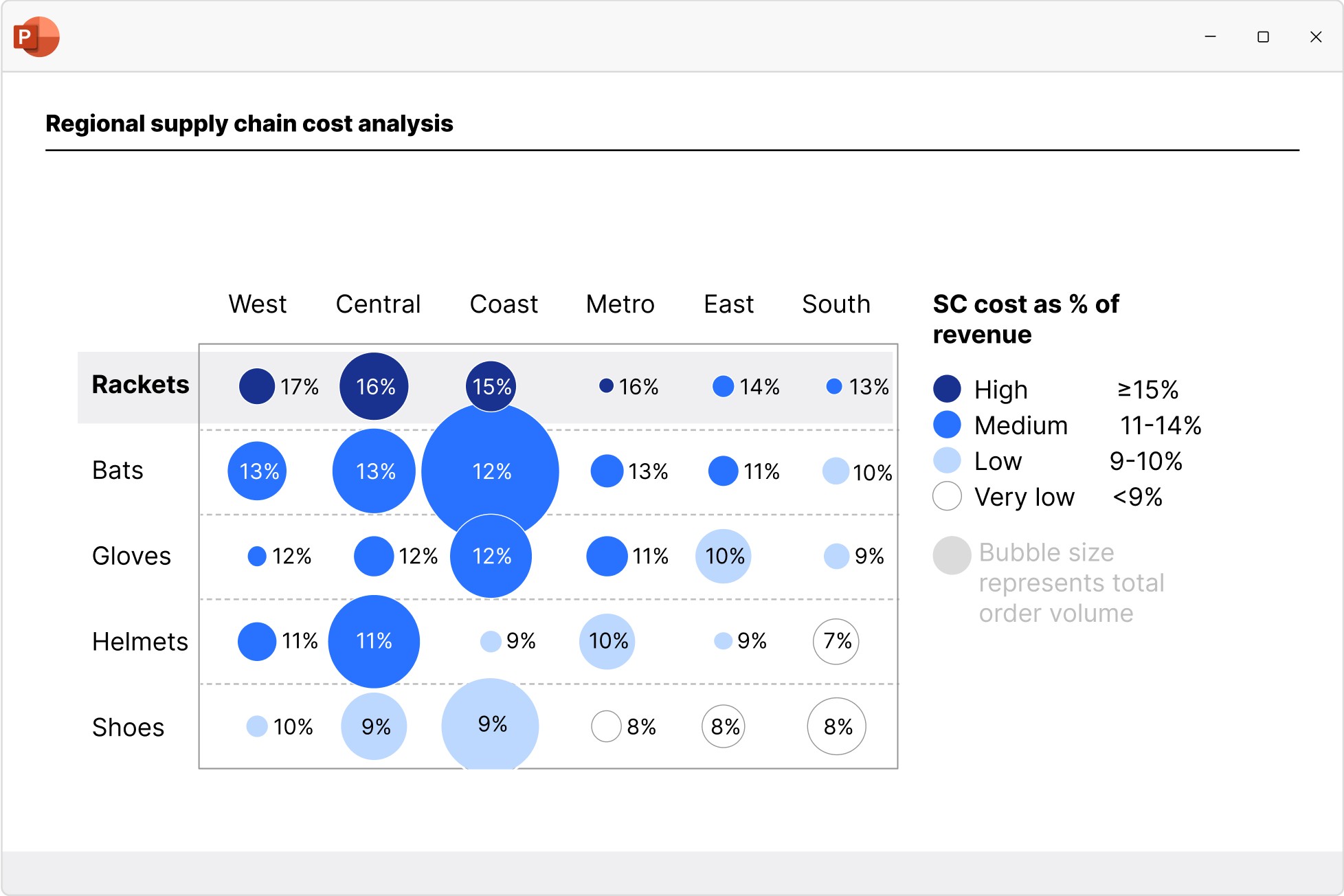
Scatter and bubble charts
Create scatter and bubble charts to show the relationship between two variables, reveal patterns in categorized data, and uncover outliers.
- Ensure maximum readability with automated point labels.
- Use bubble sizes and group colors to communicate more information.
- Shade or color partitions to highlight segments in scenarios, heat maps, etc.
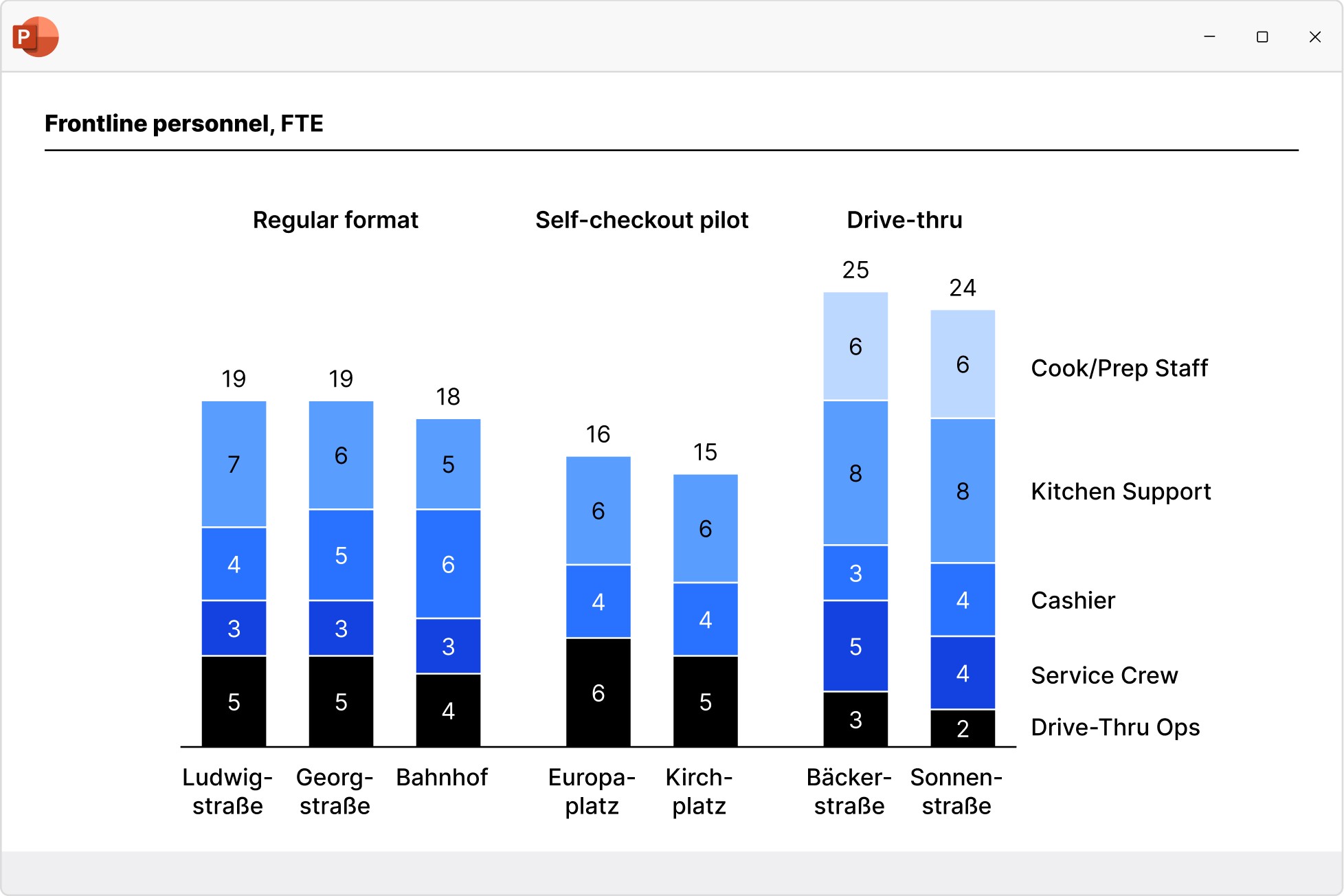
Column and bar charts
Use column and bar charts to present your data in a clear, digestible form anyone can recognize. Easily modified to create butterfly/tornado charts.
- Choose from stacked, clustered and 100% charts.
- Insert axis breaks to make best use of the slide space.
- Add category gaps to highlight distinct values like targets.
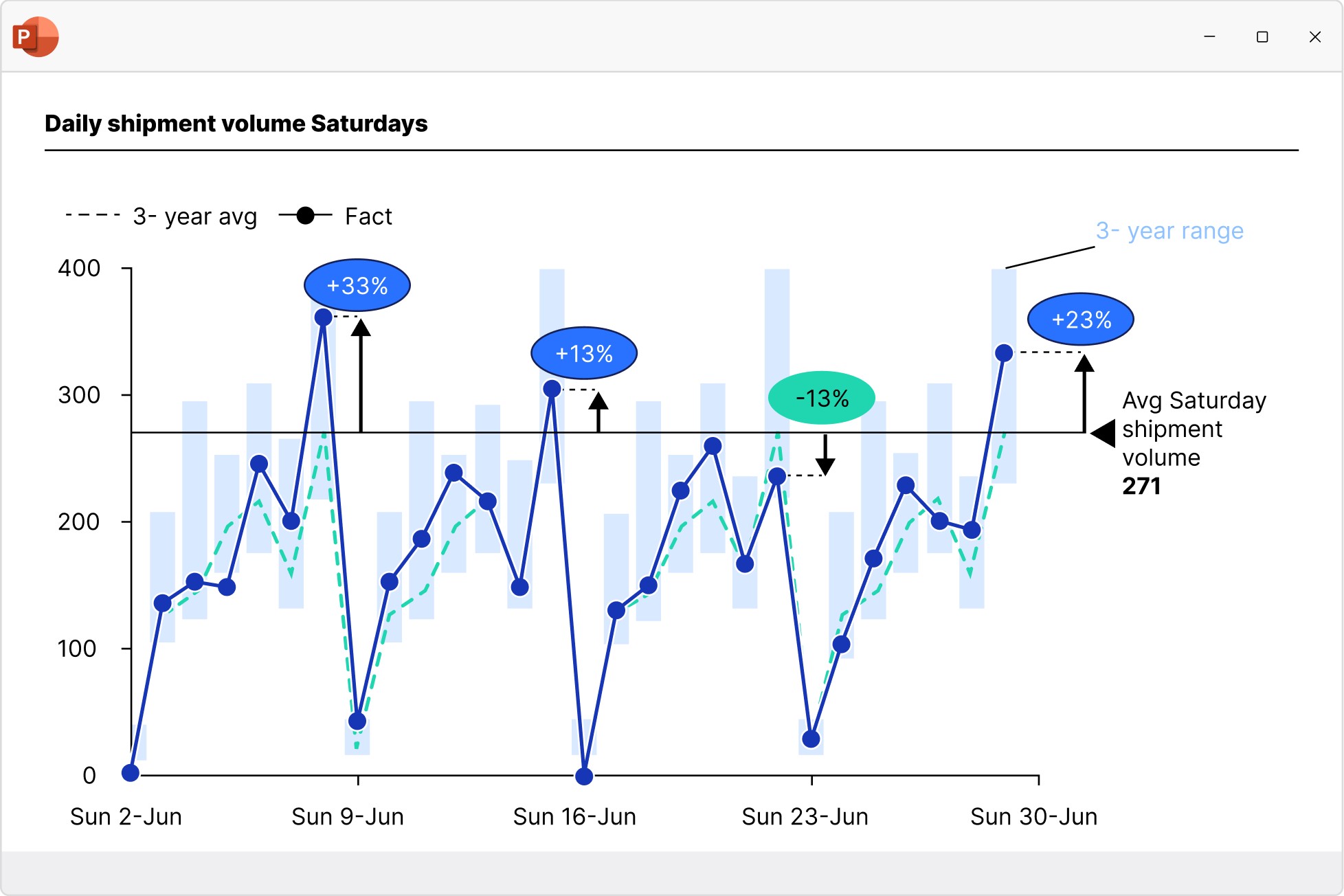
Line and area charts
Build line, area, and area 100% charts to communicate data trends over time. Versatile use as candlestick charts for stock prices or football field charts.
- Add a secondary value axis to better compare metrics.
- Add linear interpolation for any missing values.
- Use error bars to show confidence intervals.
Pie and doughnut charts
Use pie and doughnut charts to easily visualize the proportions of each category within a 100% total. Can be easily modified to create gauge charts.
- Break out individual slices to add emphasis
- Add connectors to create pie of pie charts or show segment growth.
- Use concentric doughnut charts for multi-series comparisons.
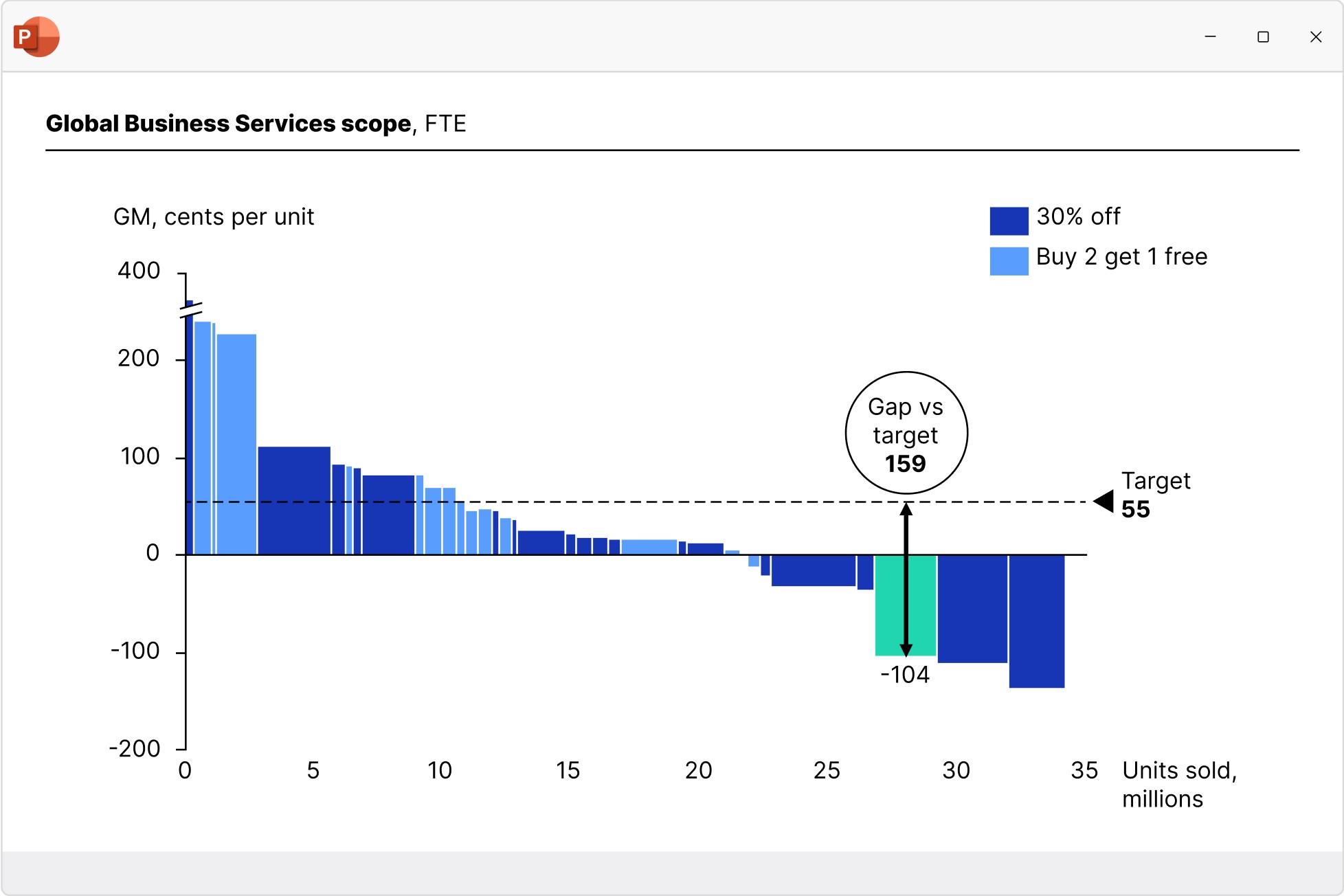
Mekko charts
Build Mekko charts to show data in two dimensions, using column width for total category sizes and height for proportions. Ideal for market shares.
- Choose from unit axis or percentage axis.
- Avoid manual workarounds as column widths are calculated automatically.
- Combine smaller segments to ‘Other’ to reduce noise.
Benefit from blue-chip slide design
With think-cell you get access to 250+ slide templates developed in collaboration with top finance and management teams.